Text, offline Whisper captions, and the name Kani
The roadmap says Phase 5 is Export. I skipped it.
Text and captions are the things I touch in literally every video, so I’d rather have those solid first and render with something else for a few days. Export could wait.
Phase 6: text
Two builds (0.6.1 and 0.6.2) and it was in:
- Text clips with a Text / Position / Effects inspector
- Alignment, box corners, outline, shadow, background box
- Skew and perspective on text, which CapCut never let me do properly
- Preview zoom, a
Tshortcut, timeline autoscroll, live transform box
Text gets rendered with Pango and Cairo, so it looks like proper text, not a blurry texture.
Phase 7: captions, fully offline
This was the big one. No upload, no account. The speech model sits in the config folder and runs on your own machine.
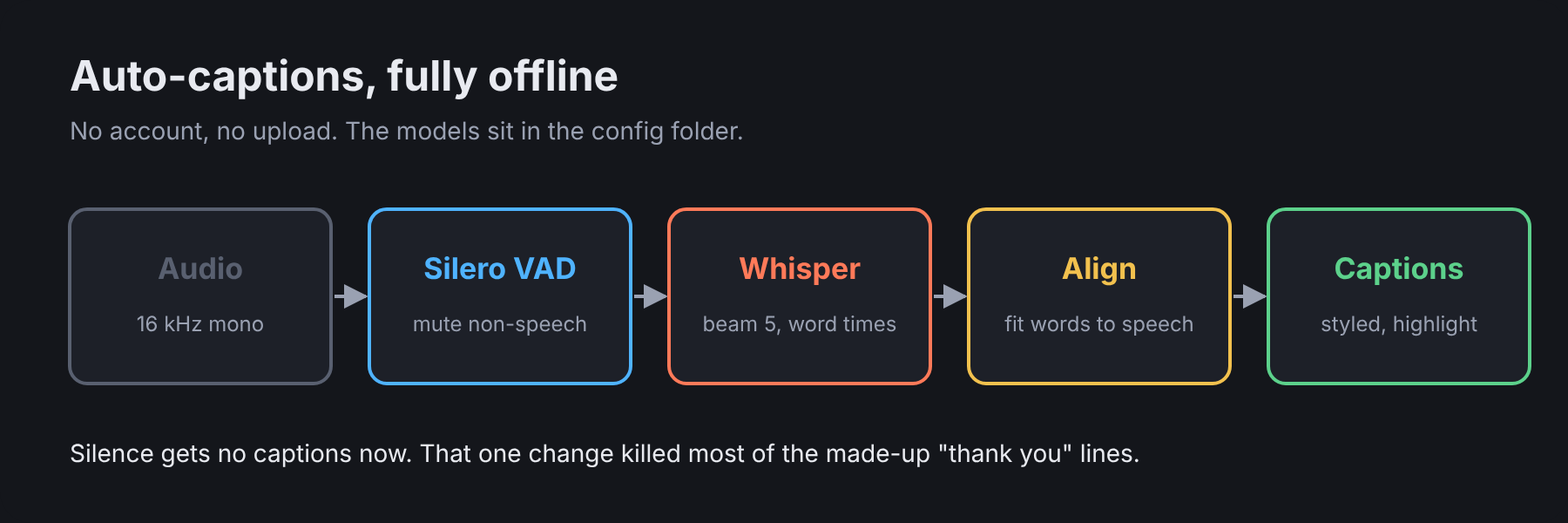
The first versions worked but had the usual Whisper problems. It would invent “thank you” in the middle of silence, and sometimes hang one word on screen for five seconds.
The fix that mattered most was running Silero VAD first. Anything that isn’t speech gets silenced before Whisper sees it, so silence gets no captions at all.
VAD:      threshold 0.35, min speech 100 ms, min silence 300 ms, pad 200 ms
Whisper:  beam search 5, token timestamps, 3-step retry ladder
Align:    fit word times to real speech, drop words that land inside pauses
Filter:   "thank you" / "thanks for watching" only removed when also low confidence
Models you can pick: tiny, base, small, medium and large-v3-turbo. They download once, then it’s offline for good.
There was also a nasty one where Whisper threw error -6 and died. That turned out to be the abort callback, and switching to the raw set_abort_callback made it go away for good.
The parts that make it usable day to day
- Five caption looks (Classic, Karaoke, Pop, Clean, Bold highlight) with word or karaoke highlighting
.srtand.vttexport- Apply to all captions: flip it on and every caption takes the selected one’s look, position and size, in one undo step
- Group editing for selected clips of the same type
- Copy/paste attributes with
Ctrl+Shift+C/Ctrl+Shift+V(plainCtrl+C/Vstill copies the whole clip)
Phase 7 is fully confirmed on my end. Accuracy on really messy audio is still something I parked, but it’s usable.
The name
This was also the day the name finally stopped changing. After Cutroom, Pompo and Chiyoko, it’s officially Kani from build 29 onwards. (The whole story of how it got there is in the intro post.)
The binary is kani now. The internal crates are still called cutroom-*, because renaming those would just be churn. Old projects saved under any of the previous names still open fine.
The official icon went in a couple builds later too, and it finally shows up properly in the GNOME taskbar.